Plaintext TCP
Default port 1883. Fastest to set up on a trusted network, but nothing is encrypted — the app warns before you save a plaintext broker.
MQTT for Mac
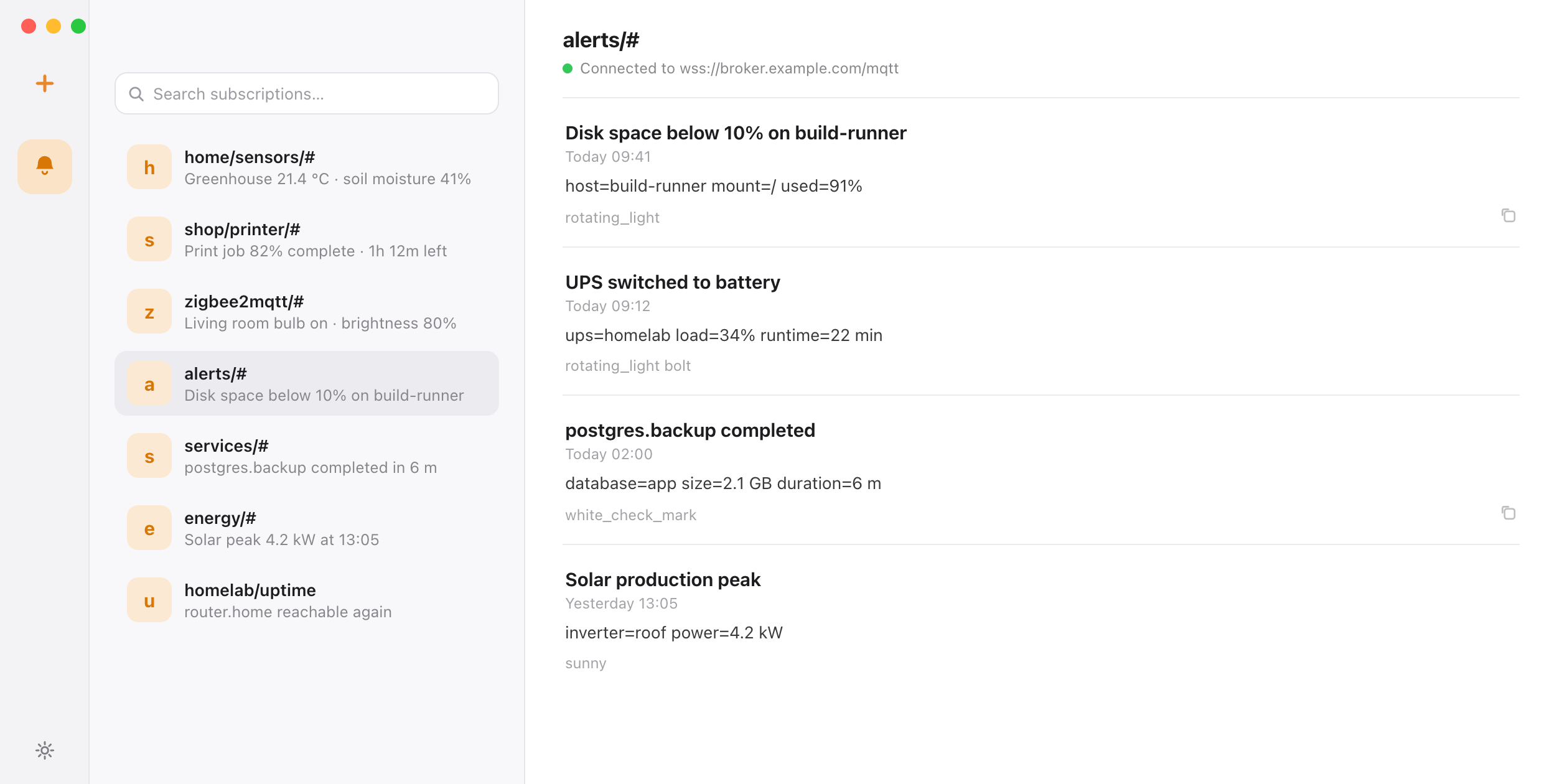
NTBX subscribes to your broker and delivers each MQTT message to the Mac menu bar and Notification Center — titles, topics and payloads, in a searchable local inbox. No scripts, no dashboard to keep open.
mqtt:// · mqtts:// · ws:// · wss://
Free on the Mac App Store · macOS 14 or later
Quick start
Keep publishing to the broker you already run. NTBX takes care of the subscription, the session, and native delivery on your Mac.
Enter the broker URL, for example mqtts://broker.example.com or wss://broker.example.com/mqtt, then the topic filter you want to follow.
Use + for one level and # for the rest, such as alerts/#. Choose QoS 1 if you cannot miss a message, QoS 0 if you prefer the lightest connection.
Send a message from any client. It appears in the NTBX inbox and in macOS Notification Center, with the topic as the subtitle.
mosquitto_pub \
  -h broker.example.com -p 8883 \
  -t alerts/disk \
  -m 'Disk almost full on mac-studio' \
  -q 1
Add --username and --pw for a broker that requires authentication. NTBX authenticates the same way and stores the password in macOS Keychain.
Transports
A plain TCP broker and a WebSocket broker are both first-class in NTBX. WebSocket support matters when the broker sits behind a web host, where port 1883 is closed and only the web ports are reachable.
Default port 1883. Fastest to set up on a trusted network, but nothing is encrypted — the app warns before you save a plaintext broker.
Default port 8883. Recommended for anything outside your own network. The broker certificate is validated against the macOS trust store.
Default ports 80 and 443, with a path such as /mqtt. Use wss:// so the connection stays encrypted; hosts that can only serve HTTP traffic can still deliver MQTT this way.
Subscriptions
alerts/+/disk matches one level, alerts/# matches everything below it. Saved subscriptions keep their filter, so you can follow a whole tree in one place.
Choose QoS 1 for messages that must arrive once, or QoS 0 for high-volume topics where missing the occasional update is acceptable. Every delivery lands as a desktop notification in Notification Center, with the topic as the subtitle.
NTBX keeps a persistent session keyed by its own Client ID and cleans the broker-side session when the broker, filter, QoS, username or Client ID changes, so no messages arrive twice.
UTF-8 payloads become the notification body. Non-UTF-8 payloads are either skipped or shown as Base64, and oversized publishes are dropped rather than truncated.
MQTT Explorer, MQTTAnalyzer and similar tools answer a different question: what is on my broker right now, and how do I publish to it? NTBX answers the one after that — which messages should interrupt me, and where do I find them later. Both can be useful; only one of them belongs in your menu bar all day.
Live connection status and an unread count, without a window in the way.
Messages arrive as native alerts, with the topic as the subtitle.
The 20 most recent messages per subscription stay on your Mac and stay searchable.
Broker passwords live in macOS Keychain, never in preferences or logs.
The app runs in the App Sandbox with a hardened runtime and no analytics SDK.
No embedded browser and no background web app — a native Swift client.
NTBX connects from your Mac to the broker you configured, with no relay in between. Credentials stay in macOS Keychain, no account is required, and there is no telemetry or third-party tracking SDK.
Before you connect
Any MQTT 3.1.1 broker your Mac can reach: mqtt:// (1883), mqtts:// (8883), ws:// and wss:// (80/443 with a path such as /mqtt). TLS uses the macOS trust store, so the broker certificate has to be valid for the host you enter.
NTBX subscribes with QoS 0 and QoS 1; QoS 2 is out of scope. Retained messages are deliberately ignored — a retained value is broker state, not a new event, and re-delivering it on every reconnect would produce phantom notifications.
No. You can point NTBX at a local broker such as mqtt://localhost:1883, and the app's connection test checks the broker and filter before you save. Our App Review broker also sends one demo message to each new session, so you can see delivery without publishing anything.
Yes, as long as the tool publishes to an MQTT broker you can reach. Subscribe to the topic your automation already publishes to; NTBX only reads, it never publishes back.
NTBX uses a stable generated Client ID, or one you set in Advanced (1–23 ASCII alphanumeric characters). Changing the broker, filter, QoS, username or Client ID resets the stored session so the broker starts clean, which prevents both duplicate and stale deliveries.