Build and deployment status
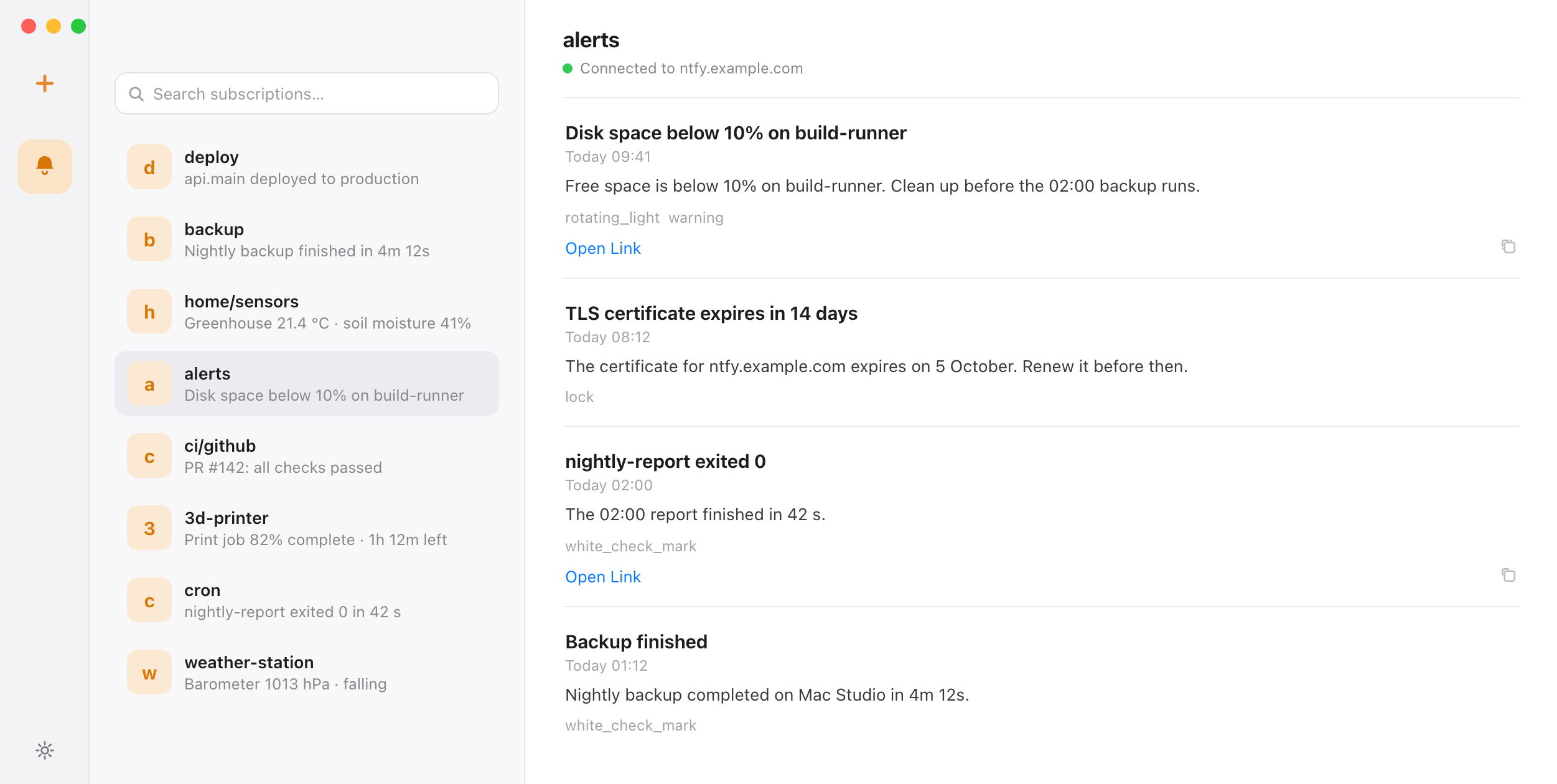
Post a result from GitHub Actions or your CI runner. Include an ntfy Click header to attach a link to the run or deployment.
NTBX
Subscribe to ntfy.sh or your self-hosted ntfy server, or connect an MQTT broker. Receive CI results, cron updates, backups, sensor readings and monitoring alerts in your Mac menu bar and Notification Center.
Topics or brokers. Direct connections. Native delivery.
Free on the Mac App Store · macOS 14 or later
Quick start
Keep publishing with your existing scripts and services. NTBX handles the Mac subscription and native notification delivery.
Get NTBX from the Mac App Store and grant notification permission. Enable launch at login if you want it to start with your session.
Paste an HTTPS topic URL, or enter the server and topic separately. For a protected topic, add a Bearer token with read permission; NTBX stores it in Keychain.
Set NTFY_TOPIC_URL to the same topic URL, then run the request. The message appears in your NTBX inbox and Notification Center.
curl --fail --show-error \
  -H 'Title: Build finished' \
  -H 'Tags: white_check_mark' \
  --data-binary 'api/main passed all checks' \
  "${NTFY_TOPIC_URL:?Set your HTTPS topic URL}"
This example is for a topic that permits anonymous publishing. For a protected topic, add an Authorization header with a token that has publish permission. See the authenticated example →
Same app, same permission. Adding a broker does not change how alerts arrive.
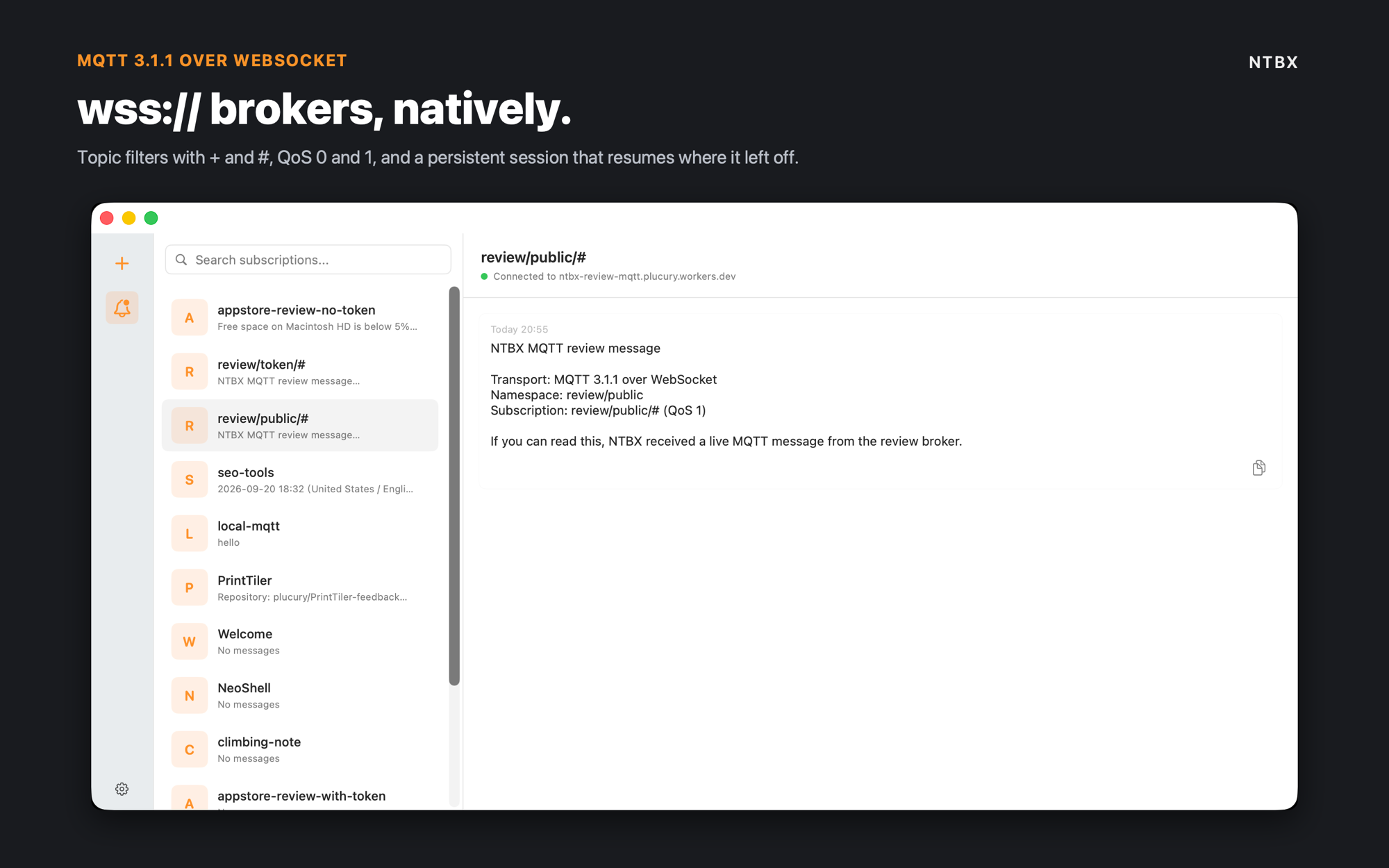
Enter a broker URL such as mqtts://broker.example.com or wss://broker.example.com/mqtt, then the topic filter you want to follow.
Send one message from any MQTT client. It shows up in the inbox and in Notification Center, with the topic as the subtitle.
mosquitto_pub \
  -h broker.example.com -p 8883 \
  -t alerts/disk \
  -m 'Disk almost full on mac-studio' \
  -q 1
Add --username and --pw if the broker requires authentication; NTBX keeps that password in macOS Keychain. A WebSocket broker publishes the same way on its own port. See the MQTT setup →
For the tools you already run
Your automation publishes to ntfy; NTBX subscribes to the topic. The same HTTP API connects your existing infrastructure to your desktop.
Post a result from GitHub Actions or your CI runner. Include an ntfy Click header to attach a link to the run or deployment.
Publish completion or failure messages from backup scripts, scheduled tasks, and long-running commands to a topic you follow on your Mac.
Connect an existing script →Use a monitoring tool’s ntfy provider, such as Uptime Kuma, then add the same HTTPS server and topic in NTBX.
Check the self-hosted requirements →MQTT
ntfy is not the only way to reach your Mac. NTBX also subscribes to MQTT brokers — TCP or WebSocket, plaintext or TLS — and turns every matching publish into a native notification, with the topic as the subtitle.
NTBX uses SwiftUI, Notification Center, Keychain, and launch at login to keep your topics and brokers close while you work.
Connection status, topics, and recent alerts stay close without keeping a window open.
Priority-aware delivery uses the notification experience already built into your Mac.
Bearer tokens never touch preferences or logs. Keychain stores them for each subscription.
Service Management starts NTBX with your session, with approval controlled in System Settings.
The app runs sandboxed, accepts HTTPS servers only, and adds no ATS security exceptions.
A native Swift codebase with no embedded browser, background web app, or extra runtime.
Your Mac connects directly to the ntfy server you choose over HTTPS. Notification traffic uses no NTBX-hosted relay. Bearer tokens stay in macOS Keychain, and the app runs inside the App Sandbox. Optional feedback is sent only when you submit it.
Before you connect
NTBX is an independent native macOS client for the ntfy protocol. It connects to ntfy.sh or a compatible self-hosted server. The official ntfy project also offers its own apps, web interface, and CLI.
Yes. Add an HTTPS server URL and topic in NTBX. For a protected topic, supply a Bearer token with read permission. The server must be reachable from your Mac and have a certificate trusted by macOS. Plain HTTP endpoints are not supported.
No. NTBX manages its own subscriptions. Your sender can use curl, the ntfy CLI, or a tool with an ntfy integration. If you prefer a scriptable subscriber that runs local commands, the CLI is another option. Compare the Mac subscription methods.
You can close the inbox window and leave NTBX running in the menu bar. Live delivery requires NTBX to be running and your Mac to be awake and online. macOS notification permission, Focus, and notification settings affect what you see. Message replay after a disconnect depends on the server’s cache.
NTBX displays message titles, bodies, priorities, and tags; supports HTTP(S) click URLs and ntfy action buttons; and can save ntfy attachments to a location you choose. HTTP attachment downloads require an explicit warning confirmation and never receive subscription tokens. Publish to your existing server’s HTTP API; NTBX is the receiving Mac client.
Yes. Add an MQTT subscription with a broker URL (mqtt://, mqtts://, ws:// or wss://), a topic filter such as alerts/#, and QoS 0 or 1. Messages arrive as notifications with the topic as the subtitle. Retained messages are ignored and QoS 2 is not supported. See the MQTT client page.
Bearer tokens and MQTT passwords are stored in macOS Keychain. Subscriptions, unread state, and up to 20 recent messages are stored locally on your Mac. Your chosen ntfy server or broker and macOS Notification Center have their own retention behavior. Read the privacy policy.